When I did the post about the µAudio Player plug-in for WordPress, it reminded me of a WordPress feature that SMUGgles might find helpful.
You don’t need to use this very often, but then again that’s why they’re called “special” characters. But occasionally you might need to insert one of them, like
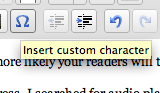
You access the special characters by clicking the Omega (Ω) symbol in the Visual editor when you’re writing a post. Like this:
When you do that, you’ll get a whole table full of choices, like this:
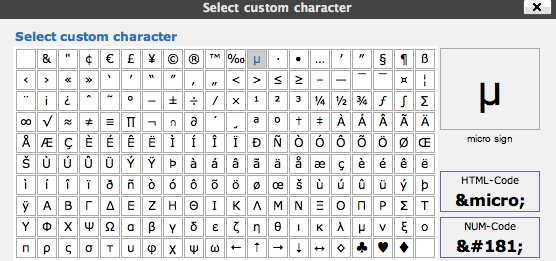
When you make your choice, the character you click is inserted into the post.
Pretty simple, huh?
Your email is never published nor shared. Required fields are marked *
You may use these HTML tags and attributes: <a href="" title=""> <abbr title=""> <acronym title=""> <b> <blockquote cite=""> <cite> <code> <del datetime=""> <em> <i> <q cite=""> <strike> <strong>
<a href="" title=""> <abbr title=""> <acronym title=""> <b> <blockquote cite=""> <cite> <code> <del datetime=""> <em> <i> <q cite=""> <strike> <strong>
You can reach me by using the contact form on the About Me page.
Enter your email address:
Delivered by FeedBurner
Blogging 122: Special Characters in WordPress Easy as π
When I did the post about the µAudio Player plug-in for WordPress, it reminded me of a WordPress feature that SMUGgles might find helpful.
You don’t need to use this very often, but then again that’s why they’re called “special” characters. But occasionally you might need to insert one of them, like
You access the special characters by clicking the Omega (Ω) symbol in the Visual editor when you’re writing a post. Like this:
When you do that, you’ll get a whole table full of choices, like this:
When you make your choice, the character you click is inserted into the post.
Pretty simple, huh?